


You’re sending out emails filled with last-minute pleas for missing taxi and lunch receipts. Your desk is drowning with shoeboxes full of fading paper. This isn’t an accountant’s dream vacation; it’s the reality of chasing paper and email receipts.
A recent Wealthy Freelancer Report showed that SMBs lose a whopping $4000-$10,000 each year in trying to track and manage receipts manually.
But enough is enough; it’s time to get you out of the receipt chase and find better ways for you to collect receipts efficiently and save your business time, money, and resources. Your sanity (and your employees) will thank you.
Lost Receipts & Time: The Challenges In Manual Receipt Management

1. Delayed receipt submissions
Employees never turn in receipts on time as they could be traveling or simply have other things to do. And while it’s not the accountant’s primary responsibility, they end up spending a lot of time tracking down receipts from employees, a process that often takes hours every week with multiple messages, emails, and follow-ups.
{{still-chasing="/cta-banners"}}
2. Difficulty in organizing receipts
Did you know that this process of manually sorting, verifying, and coding receipts into spreadsheets consumes an average of 8 minutes per receipt?
- The math: If your team processes 1,000 receipts a month, that is 133 hours of manual labor.
- The reality: That’s over three full work weeks spent on data entry that could be automated in seconds.

3. Manual credit card statement matching
Once the expenses have been coded onto the sheet, accountants would need to manually match them with the credit card statement once it’s made available by the bank. This means you’d have to constantly login to your bank accounts and download statements.
4. Poor spend visibility
With receipts coming in late, card statements arriving at the end of the month, and expenses spread across multiple spreadsheets, how can accountants possibly keep track of who's spending on what?
In fact, accountants have often told us that they need to figure out what employees purchased on their cards just based on who swiped it.
This leads to zero accountability in card usage and zero visibility into spend. It makes it difficult to spot potential risks, operational inefficiencies, and instances of overspending.
5. Audits become nightmares
If an auditor walked into your office tomorrow, could you produce a three-year-old receipt in under 60 seconds? For most manual shops, the answer is a stressful no. Without a digital audit trail, proving policy violations or corrections becomes a game of "he-said, she-said."
The Real Cost of the Manual Receipt Chase
If you are processing 100 reports a month, you aren't just losing time—you are losing the equivalent of a part-time salary in administrative waste. Use the table below to see where your money is going.

The 2026 reality: For a mid-sized firm processing 100 reports, staying manual is effectively a $82,000 annual inefficiency tax on your business.
C-Suite & Finance on Handling Receipts: Time to Ditch the Chase?
We asked CXOs, and other finance leaders to share their thoughts on manual receipt management. Here’s what they had to say:
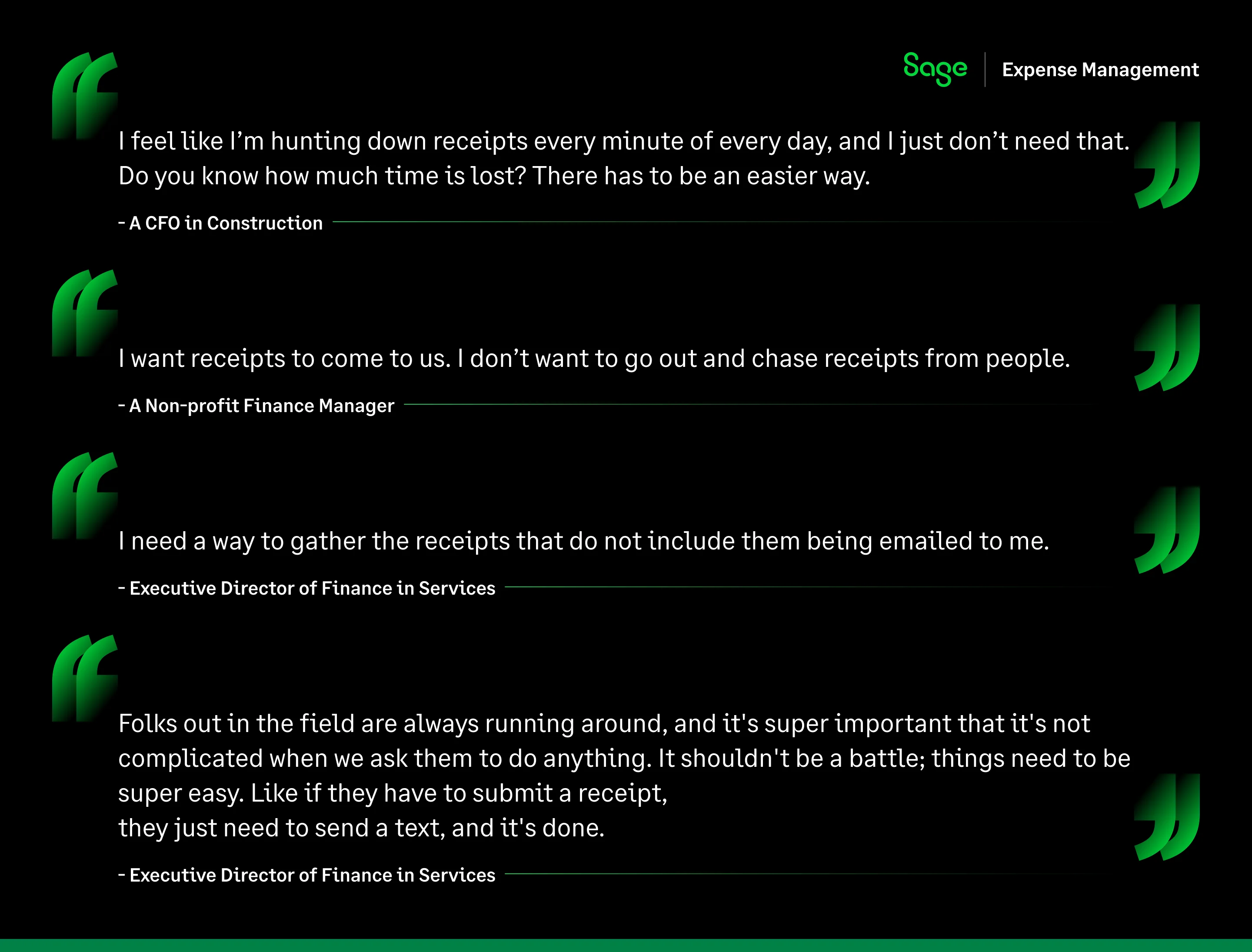
We heard the experts and thought to ourselves, how can we make this process easier for them?
How Sage Expense Management (Formerly Fyle) Reimagines And Solves Receipt Collection
Text-Message receipt collection
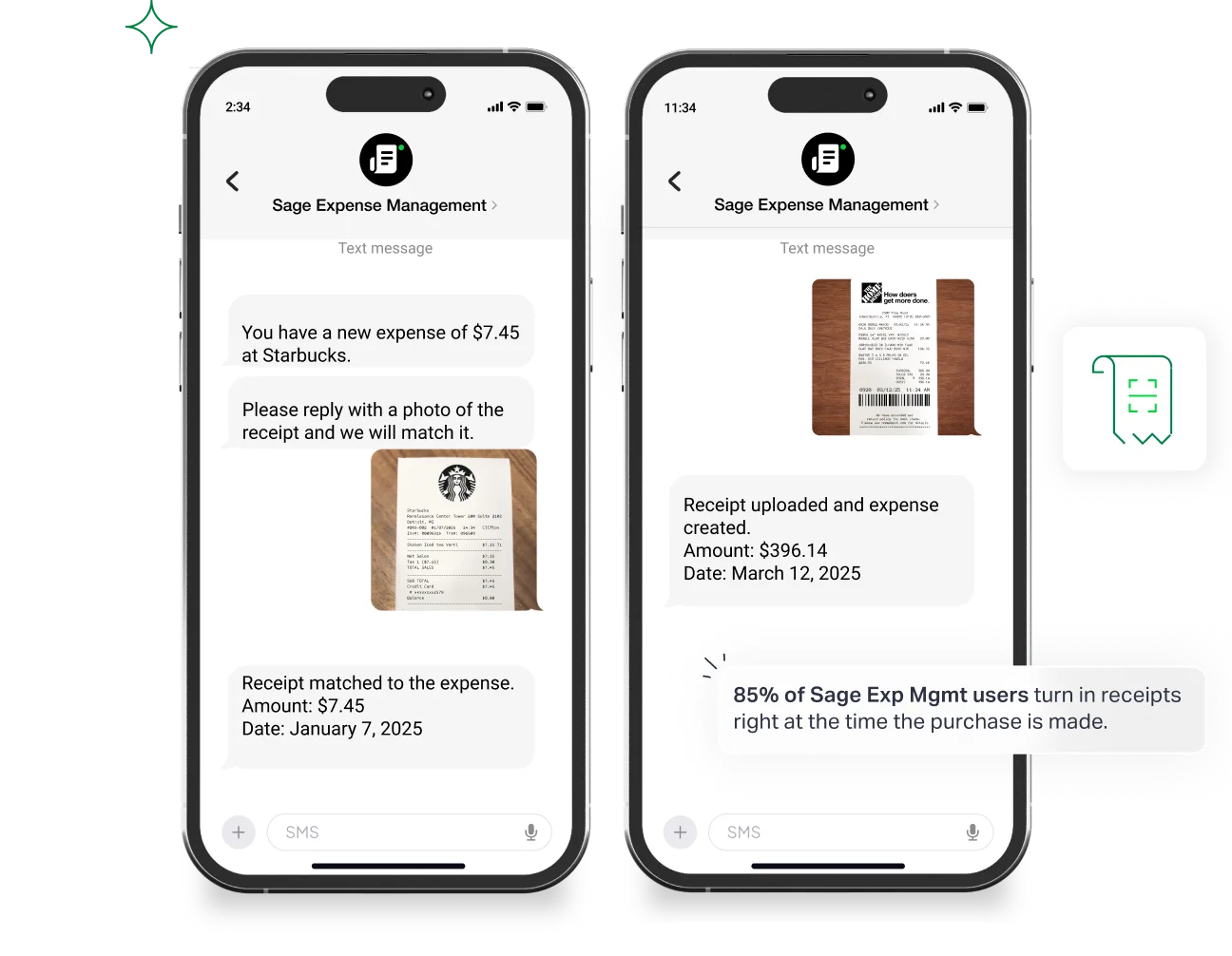
Users can just text their receipts, whether it’s a credit card expense or a reimbursement. The platform will automatically create, code and submit the expense.
What’s more, users of any Visa and Mastercard business credit card also get instant text notifications of card spend as and when their card is swiped.
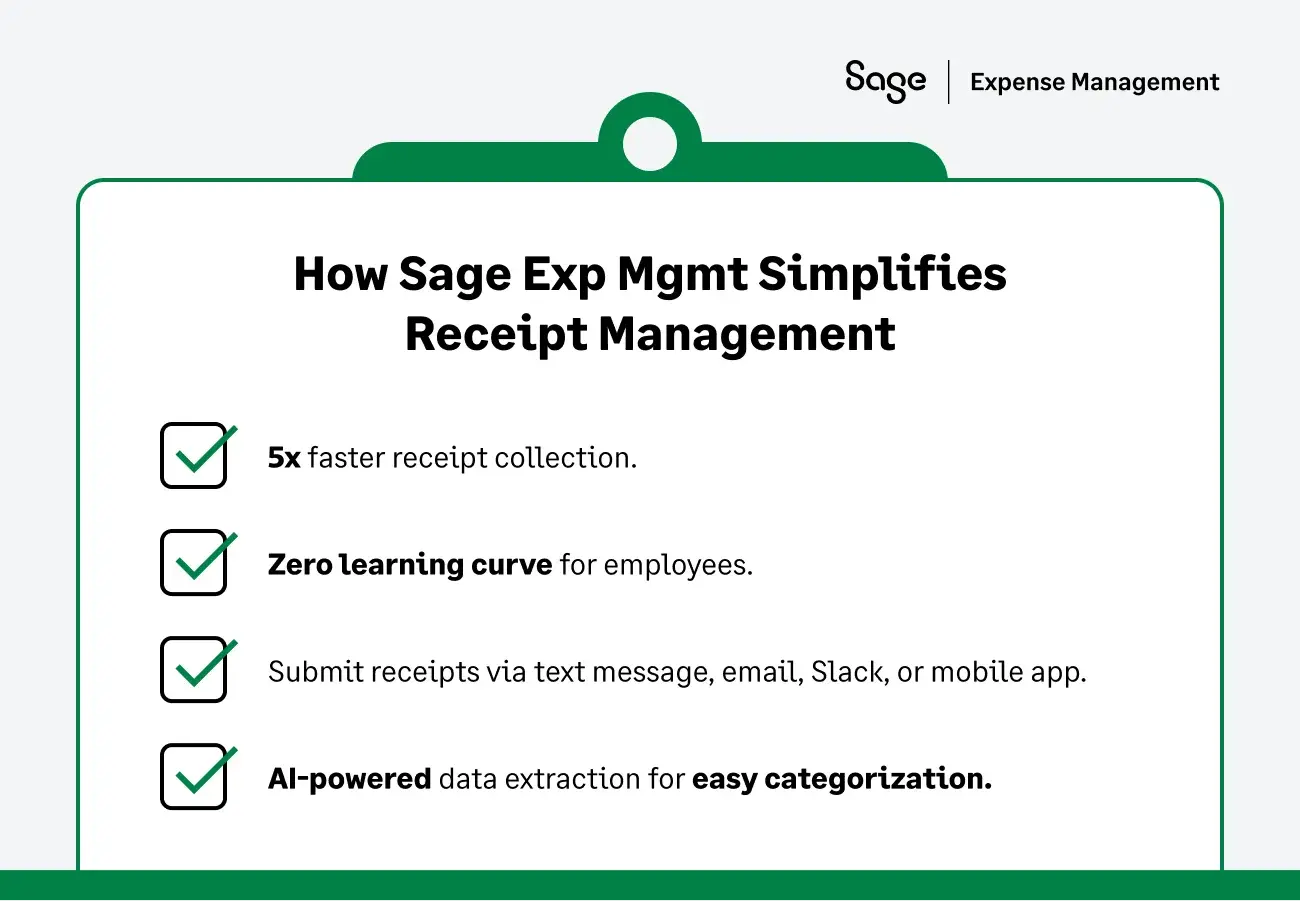
Employees just need to click a picture of the receipt and text and it’s automatically matched! No app, no learning curve, no delays. Jump right in with instant ease.
Accountants can finally rejoice! This means no more chasing employees for receipts. Receipts arrive instantly via text message, speeding up your receipt collection process by 5x!
Forget the back-and-forth, the reminders, the clarifications. Sage Expense Management brings your receipts where you’d like them with zero effort.
Receipt collection via other everyday apps
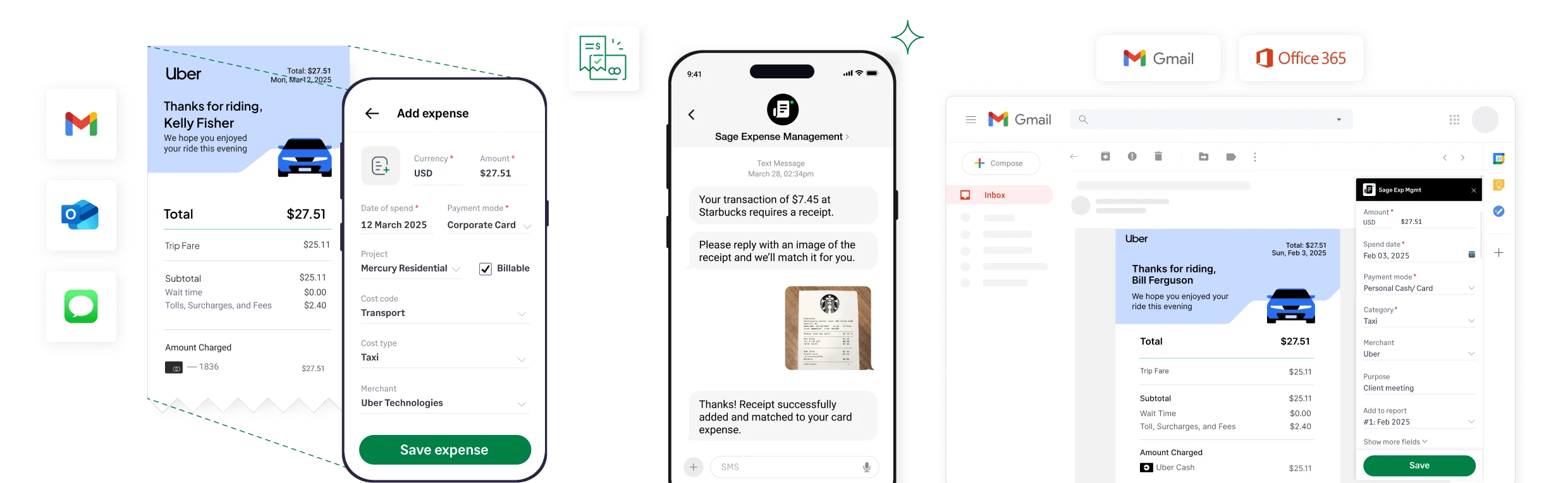
Our platform also enables receipt submission through popular apps like Slack, Gmail, Outlook, Teams, and its mobile app. It automatically extracts key details and categorizes expenses accurately.
Express ACH: The thank you for fast submission
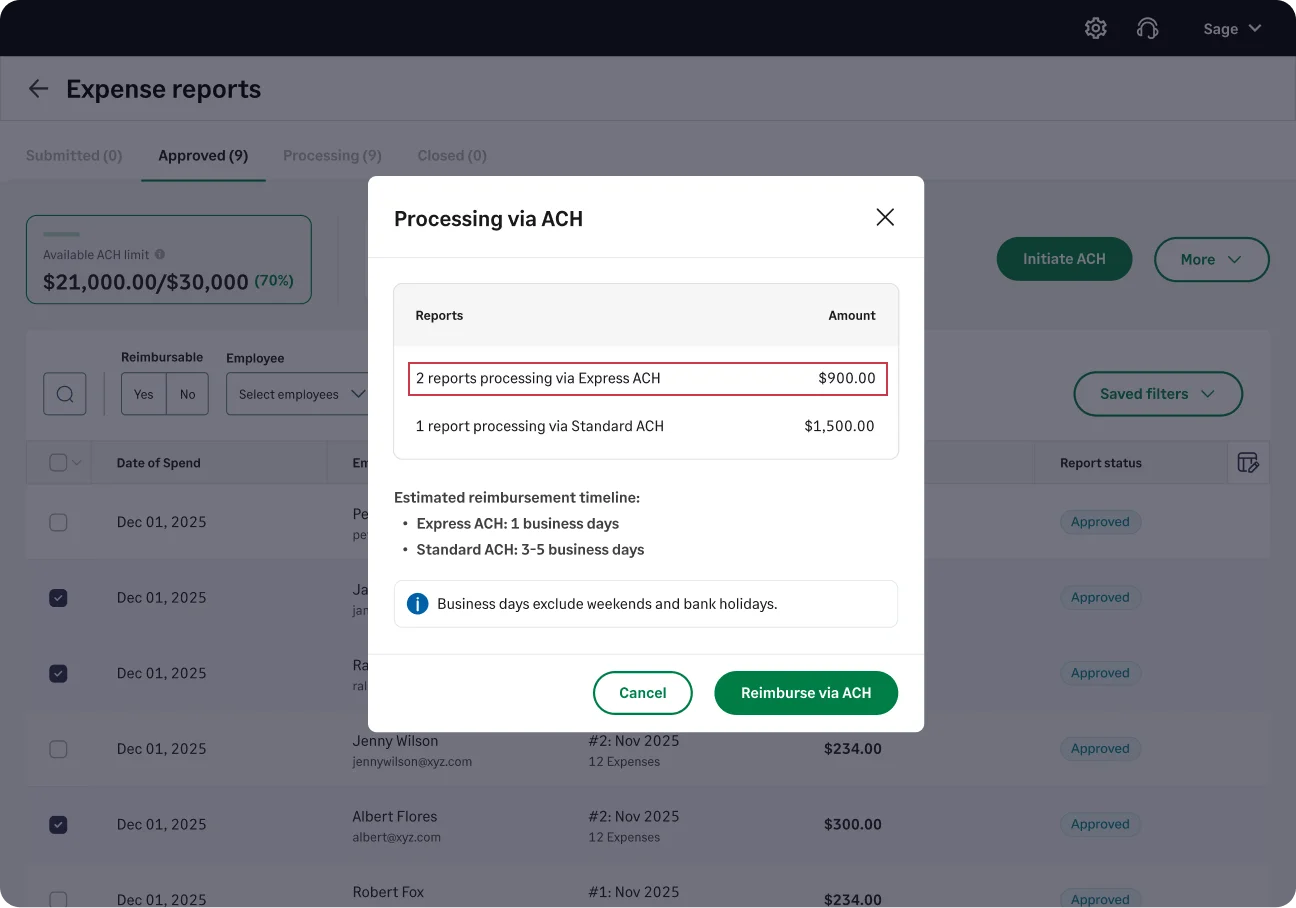
To encourage timely reporting, Sage offers Express ACH.
Once the digital receipt is approved, you can reimburse your employees in 1-2 business days. When employees see that fast reporting leads to fast payback, the "chase" disappears naturally.
Read how TASA (Texas Association of School Administrators) stopped chasing receipts
In Conclusion
The receipt chase ends today. Forget about the shoeboxes, the emails, the garbage bags, and the frantic follow-ups. Experience the future of receipt collection: instant, seamless, and app-free, powered by Sage Expense Management.
{{chasing-receipts="/cta-banners"}}
Common FAQ's
How do I get employees to turn in receipts on time?
Ask at the moment of purchase rather than at month end. When the request arrives weeks later, the receipt has usually been thrown away, washed or faded. Sage Expense Management texts the employee the moment the card is swiped, and they reply with a photo. The receipt comes back because it is still in their hand.
Do we have to switch business cards to get real-time receipts?
No. Sage Expense Management reads the business cards you already hold, so your bank, credit line and rewards programme stay as they are. This is the main difference from card-issuing platforms, which capture spend only on the card they issue you and require you to move your programme across to get the feature.
Does the receipt match to the card transaction automatically?
Yes. With Sage Expense Management, the AI reads the merchant, date and amount off the photo and matches it to the corresponding card transaction, so the receipt and the charge arrive as a single coded record. Nobody assembles an expense report, and nobody re-keys the line into the accounting system afterwards.
Can we require a receipt on expenses over a set amount?
Yes. You can set a policy so any expense over a threshold you choose, such as $25 or $75, needs a receipt attached before it can be submitted. The policy engine can flag the expense for an approver, route it to an additional reviewer, or stop it being reported at all until the receipt arrives.
.jpg)